U Chapter 2 Bluebeam training, user groups, and forums

UC2 Services

We don't just teach software. We build systems.

Your team knows Bluebeam.
They just don't all use it the same way.

Every team member has their own approach. Every estimator has their own system. Every new hire figures it out on their own. The work gets done, but it takes longer than it should, it looks different from person to person, and somewhere in the gap between how things are and how they could be, your team is leaving accuracy, time, and money on the table.

That gap is exactly what UC2 closes.

We don’t just teach software. We build systems.

Systems your whole team uses the same way. Systems that capture the knowledge your best people carry and make it available to everyone. Systems built specifically for the way your trade, your team, and your workflows actually operate.

Sound familiar?

If your company uses Bluebeam every day, you’ve probably seen at least a few of these:

  • Every estimator does takeoffs a little differently. You can’t always tell why one bid takes twice as long as another.
  • You have a senior team member who has been doing this for 25 or 30 years. He knows things nobody else knows, and when he retires, that knowledge goes with him.
  • You’ve invested in Bluebeam, but honestly, you’re not sure your team is using more than a fraction of what it can do.
  • Onboarding a new hire means months of figuring it out, not days of getting up to speed.
  • When a big bid is due and the whole team needs to work together, the inconsistency shows up in the worst possible way.

These are not Bluebeam problems. They’re systems problems. And they’re exactly what a Custom Workflow Assessment is designed to solve.

Three Pillars to Success

Successful implementations require more than software alone. Every successful Bluebeam implementation starts with understanding your workflows, building the right custom tools, and training your team to use them effectively. These three pillars create a foundation for improved software adoption, workflow optimization, greater consistency, and a stronger return on your technology investment.

Custom Workflow Assessment

We start by understanding exactly where you are, and where your data needs to go.

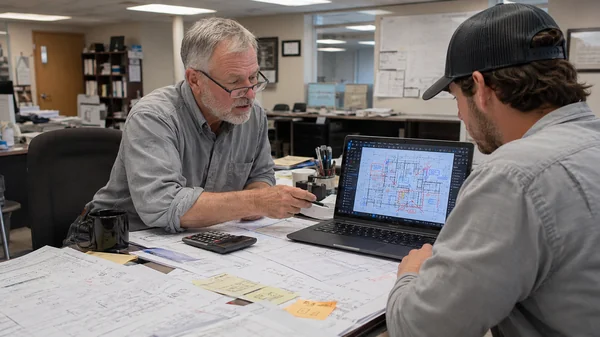
Before any tool gets built and before any training gets delivered, Troy sits down with your team and does something most consultants skip entirely: he listens. Not just to what’s going wrong, but to how your team actually works, where your data needs to land, and what it needs to look like when it gets there.

That conversation drives everything that follows. The tools, the training, and the workflows are all designed backwards from the answer to one question: what does the end result need to look like? That’s Troy’s approach, and it’s why the systems he builds actually fit the way your company works, not just the way Bluebeam works in general.

Troy has completed more than 150 custom Bluebeam implementations across construction, engineering, and specialty trades. No two were built the same way, because no two companies work exactly the same way.

The Senior Expert Strategy

Most companies have at least one person who has been doing this for 25 or 30 years. He knows the rounding habits, the waste factors, the project instincts, and the undocumented processes that make your estimating department what it is. Most of that knowledge lives entirely in his head.

Most consultants work around that person. Troy makes him the center of the room.

By building his expertise directly into the tools and the workflows, Troy accomplishes three things at once: the knowledge gets preserved and made repeatable before it walks out the door, the senior employee becomes invested in the new system rather than resistant to it, and the whole team experiences the transition as something that honors the way things were done rather than replacing it.

Owners respond to this approach because it solves a fear they haven’t been able to name out loud. If this resonates with you, that’s not a coincidence.
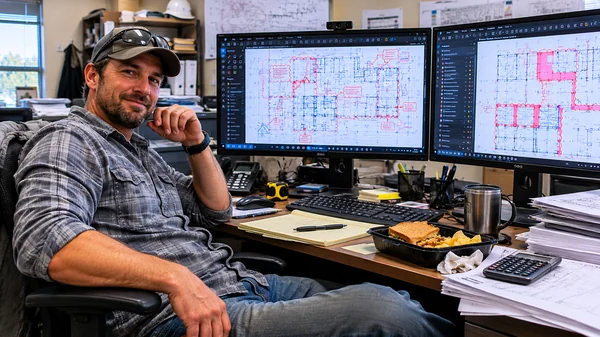
How the Assessment Works

Step 1: Custom Workflow Assessment Session (2 hours)

Troy leads a focused conversation about your current state: how your team works, where the pain points are, what your estimating variables look like, and where the knowledge lives that needs to be captured. The session is recorded and transcribed so nothing is lost.

Step 2: Playbook Strategy Session

Troy works through the custom tool design with you directly. Not by sending you a spreadsheet to fill out on your own, but by building it together. Co-creating it produces better information, keeps the project moving, and makes the solution yours from the first session.

Step 3: Implementation Proposal Playbook

Following both sessions, you receive a branded, company-specific document that opens with a summary of what was found, outlines the recommended tools, training, and workflow improvements, and gives you everything you need to take this into a leadership or budget meeting. One clean deliverable. No ambiguity about what comes next.


Custom Bluebeam Builds

Tools built for the way your trade actually works. Not for everyone in general.

Troy has built custom Bluebeam systems for nearly every CSI division: concrete contractors, fire protection engineers, mechanical and electrical subcontractors, MEP engineers, civil estimators, architectural project managers, construction administrators, and more. He has built tools for at least 12 concrete contractors and no two were the same, because no two companies work exactly the same way.

Off-the-shelf Bluebeam setups are designed for everyone in general, which means they’re optimized for no one in particular. A custom build changes that. Your Tool Sets, Profiles, Templates, and estimating workflows are designed around your specific trade, your specific data, and your specific team.

And because Troy designs everything with the end in mind, the tools are built to produce the outcomes you need, not just to look thorough. He starts by asking where your data needs to go and what it needs to look like when it gets there. Everything else is built backwards from that answer.

What a custom build typically includes:

  • Tool Sets designed around your specific markup, estimating, and reporting needs
  • Profiles that give every team member a consistent, clean starting point on day one
  • Templates built to capture exactly what you need, formatted the way you need it
  • Estimating workflows that reduce takeoff time and increase accuracy across the board
  • Design review documentation that tracks markups, revisions, and approvals in one place
  • A system built to scale, so new hires are productive faster and stay consistent longer

Whether you’re starting from scratch or from tools you already have, Troy meets you where you are. The starting point doesn’t matter. The end state does.

Custom Team Training

Training built around your system. Not a curriculum built for everyone else.

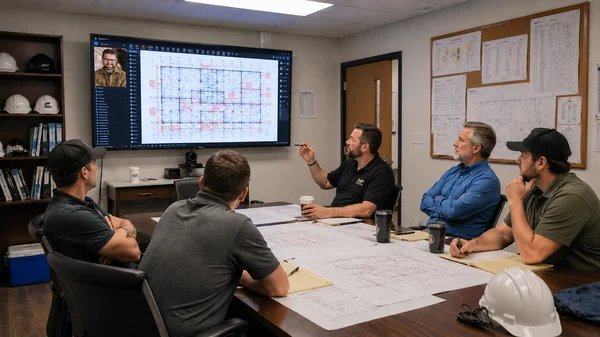
Most software training teaches the software. UC2 training teaches your team how to use the system that was built specifically for your company, in the context of the work they actually do every day.

A team trained on generic Bluebeam features walks away with information. A team trained on their own workflows, their own tools, and their own standards walks away with a practice they can use the same day they get back to their desk.

As a BIM Manager, Troy coordinated training for 70 employees across 7 offices throughout the Midwest. What he learned: the most expensive part of training isn’t the cost. It’s the time away from active projects. Every UC2 training engagement is built around that reality. Each session runs approximately 2 hours, focuses on one specific workflow, and gets your team practicing what they learned the same day they return to their desk.

Whether you’re training a single department or rolling out consistent standards across multiple offices or project teams, the system is designed so your whole crew works the same way, from day one forward.

Troy’s trained everyone from first-day Bluebeam users to experienced BIM coordinators who were certain they already knew everything. Both groups leave with something they didn’t have before.

What changes after a custom training engagement:

  • Faster adoption: your team reaches consistent proficiency in days, not months, because they’re learning a system built for their work, not generic features
  • Standardization: every person on the team does it the same way, from the first day forward
  • Consistency: the same job produces the same output, regardless of who runs it
  • Higher accuracy: fewer errors, less rework, cleaner data coming out of every markup
  • Real software ROI: the Bluebeam license your company paid for finally doing what it was supposed to do
  • Legacy knowledge transfer: a system for capturing and passing down how your company works, so it doesn’t walk out the door when your best people retire

Ready to start the conversation?

Schedule a free Intro Call. No pressure, no pitch. Just an honest conversation about your workflows and whether there is a better way to work.

Bluebeam Certified Training & Instruction
Bluebeam Certified Professional badge earned by Troy DeGroot
Bluebeam Certified Instructor badge earned by Troy DeGroot
Bluebeam Certified Training & Instruction
Bluebeam Certified Professional and Bluebeam Certified Instructor badges earned by Troy DeGroot

Some Feedback

What this looks like in practice

Two examples. Different companies, different trades, same result: a team that works better the day after working with UC2 than the day before.

Musselman & Hall Contractors

Midwest-based concrete, asphalt, and railroad infrastructure contractor

Musselman & Hall’s preconstruction team had outgrown their takeoff software. Constant file conversions were slowing everything down, and as project volume grew, the cracks in their process were getting harder to ignore. They switched to Bluebeam, then brought in Troy for a full custom implementation across two offices: strategic planning, deep-dive training, custom Tool Sets, and change management across preconstruction and project management.

“We’re probably saving at least 3 to 4 hours a week per estimator per bid. That’s a net total of 60 hours a month.”

Christopher Leheney, Former Pre-Construction Manager, Musselman & Hall

“We’ve been told that we’re kind of ‘next level’ compared to competition as far as having a dialogue back and forth on cost changes or just overall project details.”

Christopher Leheney, Former Pre-Construction Manager, Musselman & Hall

This engagement was significant enough that Bluebeam published it as a case study on their own platform.

Read the full Musselman & Hall case study

Tim Webster, TWEMCO LTD

Owner, P&ID workflow specialist

Our Customers

Providing Bluebeam Revu training for leading brands
Bluebeam Electronic Plan Review Expert Troy Degroot UChapter2

About the consultant

Troy Degroot

Troy DeGroot has spent 30 years in the design and construction industry. He started as a structural steel detailer in a high school internship, moved through the full arc of the industry, and served as a BIM Manager responsible for rolling out 3D BIM design workflows for 70 employees across 7 offices. That experience is where UC2’s approach was born.

He launched UChapter2 in December 2020. Since then, he has completed more than 150 custom Bluebeam implementations across design, construction, and specialty trades, including 35 city and municipal governments, and trained over 4,500 construction professionals in a single year.

Credentials:

  • Bluebeam Certified Instructor since 2015, one of the first to hold this certification
  • Bluebeam Certified Consultant and Implementation Specialist
  • 30+ years of hands-on experience in structural design, BIM, and construction workflows
  • 150+ custom Bluebeam implementations across construction, engineering, and specialty trades
  • 35 city and municipal government implementations
  • 4,500+ construction professionals trained in a single year
  • Musselman & Hall engagement featured in a Bluebeam-published case study
  • Speaker at AIA, ASPE Estimating Academy, Bluebeam Unbound (formerly XCON), World of Concrete, GlassBuild, and Bluebeam User Groups (BUGS) around the world

Troy doesn’t lead with his credentials. He leads with questions about your workflows. But when the work is done, the credentials are why it holds up.

How It Works

Every engagement starts with a conversation. No agenda, no pitch, no pressure. Just an honest look at where your team is and whether UC2 is the right fit. If it is, you’ll know it by the end of the call. If it isn’t, Troy will tell you that too.

Step 1: Free Intro Call
(30 minutes)
Schedule a free 30-minute introduction call to talk through your current workflows, your goals, and where the gaps are. This call has no agenda other than figuring out whether working together makes sense.
Click Here
Step 2: Custom Workflow Assessment
If there is a fit, the next step is the Custom Workflow Assessment: a paid, two-session engagement where Troy goes deep into your workflows, maps the end state, and builds the Implementation Proposal Playbook. Most clients walk away from the Assessment with more clarity about their own business than they've had in years, before a single tool is built.
Click Here
Step 3: Custom Engagement
Based on the Playbook, Troy scopes the engagement: custom tools, team training, ongoing consulting, or a combination. Everything that follows is built specifically for your company, your trade, and your team.

Most clients move from the Assessment directly into the custom engagement. Ongoing consulting is available throughout implementation and beyond, so you're never left to figure out the next step on your own.
Click Here

How It Works

Every engagement starts with a conversation. No agenda, no pitch, no pressure. Just an honest look at where your team is and whether UC2 is the right fit. If it is, you’ll know it by the end of the call. If it isn’t, Troy will tell you that too.

Step 1: Free Intro Call (30 minutes)
Schedule a free 30-minute introduction call to talk through your current workflows, your goals, and where the gaps are. This call has no agenda other than figuring out whether working together makes sense.
Click Here
Step 2: Custom Workflow Assessment
If there is a fit, the next step is the Custom Workflow Assessment: a paid, two-session engagement where Troy goes deep into your workflows, maps the end state, and builds the Implementation Proposal Playbook. Most clients walk away from the Assessment with more clarity about their own business than they've had in years, before a single tool is built.
Click Here
Step 3: Custom Engagement
Based on the Playbook, Troy scopes the engagement: custom tools, team training, ongoing consulting, or a combination. Everything that follows is built specifically for your company, your trade, and your team.

Most clients move from the Assessment directly into the custom engagement. Ongoing consulting is available throughout implementation and beyond, so you're never left to figure out the next step on your own.
Click Here

Common Questions

The Custom Workflow Assessment is a paid, two-session engagement where Troy goes deep into your current workflows, documents how your team works, and identifies where the gaps are. The first session is a 2-hour recorded and transcribed conversation covering your current state, pain points, and goals. The second session is a working session where Troy co-creates the tool design with you directly. The deliverable is the Implementation Proposal Playbook: a branded, company-specific document that outlines findings, recommendations, and next steps. Most clients say they walked away with more clarity about their business than they had going in.

Bluebeam’s training teaches the software. UC2’s training teaches your team how to use the system built specifically for your company. Every UC2 training engagement is built around the custom tools and workflows Troy designed for your trade and your team, not a generic curriculum built for everyone in general. Each course or session runs approximately 2 hours and is built around a specific workflow. Students practice what they learned the same day they return to the office. No cognitive overload. No wasted time on features that don’t apply to their work.

Yes. Troy meets you where you are. If your team already has profiles, tool sets, or templates in place, the Custom Workflow Assessment starts there and builds on what is already working. The question is never ‘what do you have.’ It is ‘where does your data need to go, and does your current setup get it there?’ If it does, great. If not, that’s where the custom build begins.

The assessment itself is two sessions: a 2-hour recorded workflow conversation and a Playbook Strategy Session to co-create the tool design. Following both sessions, Troy delivers the Implementation Proposal Playbook. From there, the scope of the engagement depends on what the Playbook recommends. Most clients move directly into custom builds and training. The Playbook also gives you everything you need to bring the project forward with leadership, budget in hand, and a clear picture of what comes next.

Troy has completed more than 150 custom Bluebeam implementations across construction, engineering, and specialty trades, including 35 city and municipal governments. He has built tools for concrete contractors, fire protection engineers, mechanical and electrical subcontractors, MEP engineers, civil estimators, architectural project managers, construction administrators, structural engineers, door hardware suppliers, and more. He has built tools for at least 12 concrete contractors and no two were the same, because no two companies work exactly the same way. If your team uses Bluebeam as part of your estimating, project management, or document workflow, there is a UC2 engagement that fits.

More Ways to Work With UC2

Not every engagement starts with a full assessment. If you’re looking to build skills on your own schedule, train a team on specific workflows, onboarding new employees with live in-person or online training, or bring Troy in to speak at your next industry event, here’s where to start.

Your team is capable
of more than they know.

The knowledge is in the room. The tools exist. The system just hasn’t been built yet.

That is what UC2 does. We take everything your team already knows and everything Bluebeam is already capable of, and we build a system that connects the two. Built specifically for your company, your trade, and the way you actually work.

It starts with a 30-minute conversation. No commitment, no pressure. Just a real look at where you are and whether there is a better way to get where you are going.