

Bluebeam for Estimators: Building a System That Works Every Time


Most companies have a Bluebeam setup. Very few have a Bluebeam estimating system.
The difference matters more than most people realize.
The Senior Estimator Problem
At most companies, the estimating process lives inside one or two people’s heads. The senior estimator knows which assemblies to pull, how to handle rounding for a specific trade, what waste factors apply to a particular job type, and how to move through a set of plans efficiently.
That knowledge is real and valuable. The problem is that it’s invisible. It doesn’t live in the software. It doesn’t survive turnover. And it doesn’t scale.
When that person is out, the work slows down or gets done inconsistently. When they leave, the company spends months trying to reverse-engineer a process that was never documented in the first place.

What Bluebeam Can Actually Do for Estimating
Bluebeam is a powerful estimating tool. Most companies that use it for takeoffs are only using a fraction of what it’s capable of.
A well-built estimating environment in Bluebeam includes:
- Custom measurement tools built for your specific construction materials and project types.
- Assemblies that calculate quantities, apply waste factors, and account for rounding automatically.
- Tool Sets organized by material type, so estimators aren’t hunting for the right tool mid-takeoff.
- Templates that standardize how measurements are labeled and organized from the start.
- And most importantly, a clear picture of what the data you collected looks like and where it ends up.
The goal isn’t to replace the estimator’s judgment. It’s to capture that judgment in the system so it works consistently every time, for everyone. Even the intern.
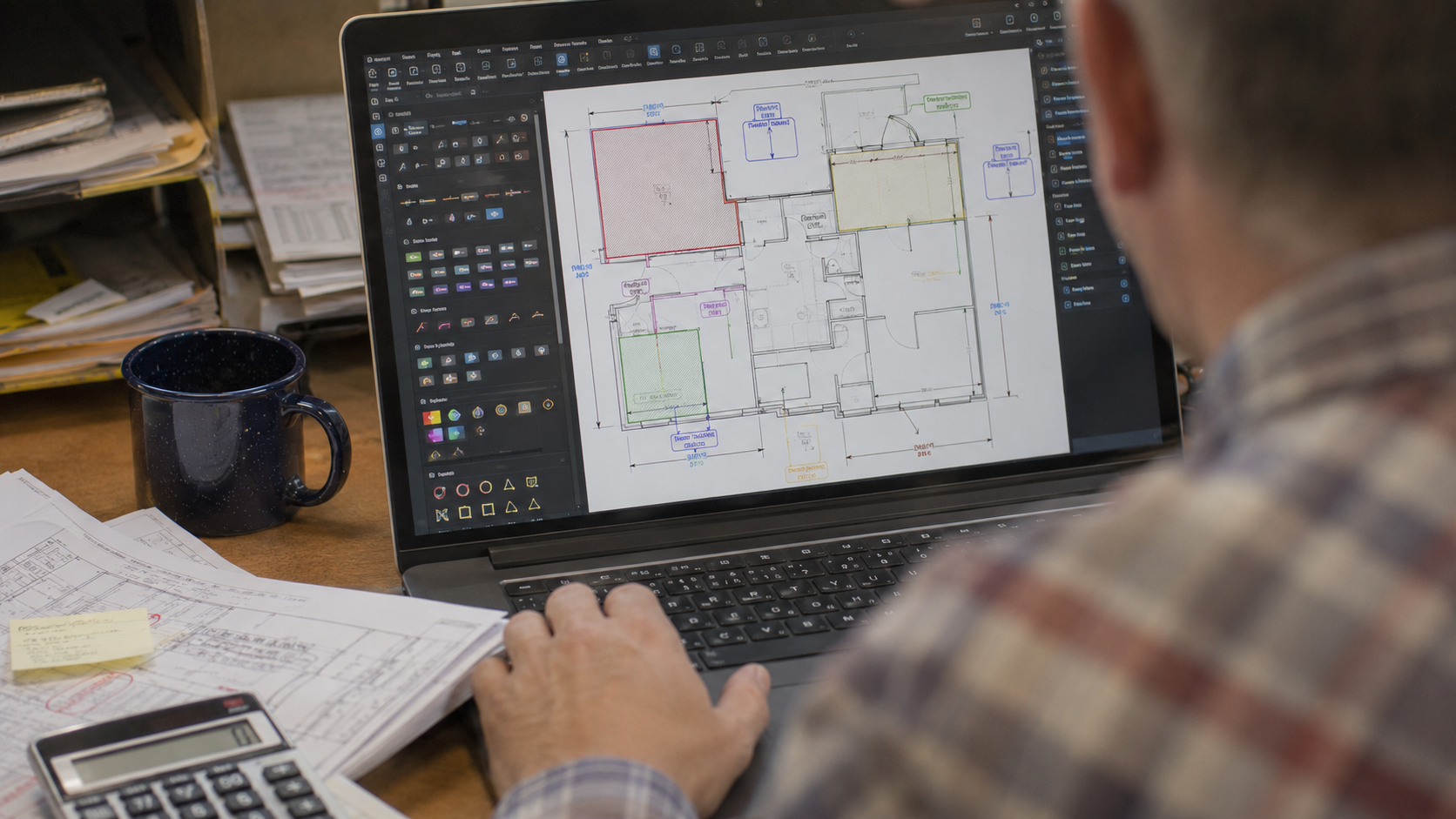
No Two Trades Are the Same
One of the things Troy DeGroot has learned from working with estimating teams across the design and construction industry: if they’re made for everybody, they’re made for nobody.
Concrete contractors round differently than glazing companies. Mechanical contractors have different quantity tracking needs than structural steel fabricators. Fire protection teams work from different document types than civil engineers.
That’s why a generic Bluebeam training rarely solves an estimating problem. The solutions need to be built around how your trade actually works, with the terminology, the calculations, and the document types your estimators deal with every day. And what good is it if your Bluebeam takeoff data doesn’t speak to your existing estimating software or spreadsheets?
Cross-industry exposure is what makes it possible to see patterns across trades and apply what works in one workflow to a completely different one.
What Changes When Estimating Knowledge Lives in the Tools
When the senior estimator’s approach is captured in a well-built Bluebeam setup, a few things change immediately.
Newer estimators can produce consistent work faster. Not because they’ve replaced the senior estimator’s expertise, but because the tools are built around it. The rounding rules, the waste factors, the assembly structures: all of it is already there.
Project consistency goes up. When two estimators work from the same system, their output looks the same, which means reviews are faster and bids are more reliable.
The custom measurement tools also provide solid visual context to every measured material, so there are no questions about how you arrived at the number you did, especially when a revision comes out.
And when someone does leave, the process doesn’t leave with them.
Try This: Add a Custom Column to the Markups List
If you take one thing from this post, make it this. A custom column lets every measurement carry the information your estimate actually needs, and it works the same whether you’re tracking materials, cost codes, or bid items. Here’s how to add one in Revu 21.
- Open the Markups List and select Columns > Manage Columns.
- Go to the Custom Columns tab and click Add.
- Name the column something your estimators already say, like Material or Bid Item. This will be the header in the new column.
- Pick a Type: Choice for a pick list, Number for a value you type in, or Formula to calculate from other columns, Checkmark to track things, or Text for adding reference information.
- For a Choice column, select Add to build each item in the list. You can Assign Numeric Value, like a unit cost, to each one.
- Click OK in both dialogs.
Now every takeoff markup carries the same information, picked from the same list, no matter which estimator placed it.
Once your columns are set up, save that markup as a tool so every takeoff starts with them. Here’s how to turn any markup into a reusable tool.
How UC2 Approaches Estimating Workflow
Building an estimating system starts with understanding how your team does takeoffs today, where the friction is, and where accuracy problems tend to show up.
From there, a custom environment gets built to match your workflow. Measurement tools, assemblies, templates, Tool Sets: all of it configured for your trade, your document types, and your team’s actual process.
Then comes focused training so your team understands what was built and why. The result is an estimating setup that works the same way every time, for every estimator, on every project.
See how UC2 approaches Bluebeam estimating workflow.
Frequently Asked Questions
Can Bluebeam actually replace dedicated takeoff software for our estimating workflow?
For many trades, yes. Bluebeam is capable of handling full quantity takeoffs, measurement calculations, and assembly-based estimating. Whether it replaces your current takeoff software depends on your specific workflow. That’s usually one of the first questions a consulting engagement addresses.
How do you handle different rounding approaches and waste factors across multiple estimators?
The goal is to build those decisions into the tools themselves. When rounding rules and waste factors are part of the assembly structure, estimators don’t have to remember them or apply them manually. They’re automatic, consistent, and built around how your company has decided to handle them.
What’s the difference between a standard Bluebeam setup and one actually built for estimating?
A standard setup has the tools Bluebeam ships with. An estimating-focused setup has custom tools built around your trade, your project types, and your specific measurement and calculation needs. The difference in speed and consistency is significant.
Does this work for our specific trade, or is it mainly for general contractors?
The approach works across trades because it starts with your process, not a template. Troy has worked with contractors, specialty subcontractors, estimators, and project teams across multiple CSI divisions. If Bluebeam is part of your takeoff process, there’s almost certainly room to build it into a more powerful system.
Responses