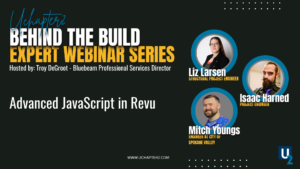
Curious how JavaScript works inside Bluebeam Revu, but not sure where to begin?
In this Behind the Build webinar, industry experts introduce the fundamentals of JavaScript in Bluebeam and show how even beginners can start adding interactivity to forms and buttons.
Many Bluebeam users see JavaScript in forms or dynamic features and assume it’s only for programmers. The reality is that even simple scripts can unlock powerful functionality inside your PDFs.
This session is designed specifically for AEC professionals with no coding experience who want to understand what’s possible and take their first steps.
You’ll see live demonstrations of how JavaScript works in Bluebeam, where to input scripts, and how tools like ChatGPT can help generate code and simplify the learning process.
What You’ll Learn
• Where JavaScript lives inside Bluebeam Revu
• How forms and buttons can trigger actions
• How to add basic interactivity to PDFs
• How AI tools like ChatGPT can help generate scripts
• Practical examples beginners can apply immediately
About the Behind the Build Webinar Series.
Behind the Build is a webinar series hosted by UChapter2 where industry experts share practical insights from across the design and construction industry.
Sessions cover a wide range of topics, including digital workflows, estimating strategies, jobsite safety, leadership, and the human side of construction.
Each session focuses on ideas professionals can apply immediately to improve productivity and collaboration.
Upcoming Webinars
If you found this session valuable, explore upcoming Behind the Build webinars where experts share real workflows and strategies used across the construction industry. https://uchapter2.com/events/
About UChapter2
UChapter2 provides workflow-based Bluebeam training, customization, and implementation for construction professionals. Our goal is simple, help teams unlock the other 85% of Bluebeam. Training provided by https://uchapter2.com
Join the Community
Join thousands of professionals collaborating inside the Bluebeam Brainery Professional Learning Community. https://uchapter2.com/uc2-brainery/



Responses